
Bring a Still to Life
The photo becomes frame one and the clip keeps its proportions. Say what happens next and how the camera follows.
You give it

It returns
Write a shot list, or attach up to 9 images, 3 clips and 3 audio files. Seedance 2.0 Fast returns 4 to 15 seconds of footage with sound, can travel from a first frame to a last one, and edits clips you upload.
Requests for sexual content, nudity or undressing a real person are declined. Terms of Service
Seedance21 Fast rendered every clip below with Seedance 2.0 Fast. Choose one to load its prompt, plus any picture, sound or clip it started from, into the generator.
Six ways in
No attachment runs plain text to video. Add pictures, a clip or a sound file and the right endpoint is picked for you. Each pair below is the real input and the real output.
The photo becomes frame one and the clip keeps its proportions. Say what happens next and how the camera follows.
You give it
It returns
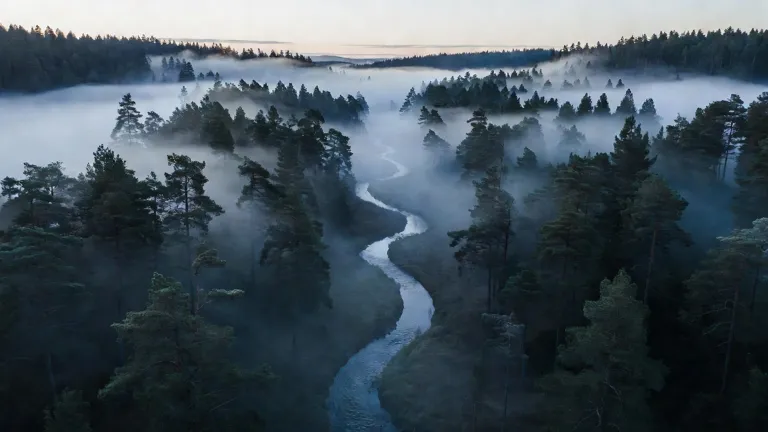
Attach two pictures and pick First & last frame. The model invents the flight, pan or transformation that joins them.
You give it

It returns
Upload a person, an animal, a product or a set and refer to them as @Image 1, @Image 2 in upload order. They meet in a scene you write.
You give it

It returns
Attach a video, pick Use as reference and describe the new subject. Path, pace and framing carry over; here a surfer's tracking shot became a snowboard run.
You give it
It returns
Add an mp3, wav or m4a of 2 to 15 seconds and call it @Audio 1. Movements land on its rhythm. Audio needs at least one image or prompt beside it.
You give it
It returns
Upload up to 15 seconds, leave Edit selected and describe the change, from night to sunset or summer to snow. The subject and the camera path stay.
You give it
It returns
Where it fits
Every clip in this section was made from the prompt on its button. Load it, change the subject and render your version.
Show a client or a director the tone before anyone books a crew. A 21:9 frame with real sound plays like a scene, not a mood board.
Spell out the material, the surface and each camera setup. The teapot spot here pushes in, cuts to a top-down pour and ends on a wide, with the pour audible.
Start from a portrait and give the person a task. Add a second reference when they need a partner, a pet or a location to keep.
Name the subject, the action, the lens and the sound. One picture opens the clip, two can bookend it, more become a cast; a video or an audio file can set the motion or the rhythm.
Choose 4 to 15 seconds, 720p or 1080p, and one of six frames from 21:9 down to 9:16. The credit total shows on the button before you commit.
The finished file, sound and all, waits in your library. Bring it back in with Edit to swap the time of day, the weather or the look.
On Seedance21 Fast
What the model adds to your toolkit, and what Seedance21 Fast does to keep the bill predictable.
24 credits a second at 720p and 28 at 1080p, for any whole length from 4 to 15 seconds. Clips you feed in as a reference or an edit are billed by their measured length.
Each render carries its own audio: surf, footsteps, a pour, a crowd. Describe the sound you want next to the picture. All eight clips on this page came back with a track.
Write Shot 1, Shot 2 and Cut to in the prompt and the render cuts between camera setups while the subject and the lighting hold. The teapot film below came from one prompt.
The price is fixed on our server before the job starts. When the model fails or refuses, the full amount returns to your balance on its own.
Clips are paid in credits. A pack suits the odd project; a plan pays off once you render every week.
Lite
For a handful of clips a month.
~$0.010 per credit
About $1.24 per clip
Included
Pro
For creators who post new video weekly.
~$0.008 per credit
About $0.99 per clip
All of Lite, and
Ultra
For studios rendering most working days.
~$0.007 per credit
About $0.83 per clip
All of Pro, and
Displayed prices already include applicable tax.
Notes on shot lists, cuts, references and sound for this model.
Questions
Sign in, describe the shot and press the button. What you attach picks the mode: one picture animates, two can serve as first and last frame, more become references, and an uploaded clip is edited or used as a motion guide. Finished files are saved to your library.
ByteDance's accelerated variant of Seedance 2.0, available through API platforms since April 2026. It accepts text, images, video and audio and renders a picture and soundtrack together. ByteDance's API documentation lists 480p and 720p as its native sizes; Seedance21 Fast calls WaveSpeed's turbo endpoints.
Both are in the menu with the same inputs. Fast costs 24 credits a second at 720p, Mini 16. An independent comparison found Fast pushes motion harder and handles people and gestures better, while Mini keeps product shapes steadier. Draft on Mini if budget matters, then render the keeper on Fast.
Up to 9 images, 3 video clips and 3 audio files, per ByteDance's API documentation. Each clip or sound runs 2 to 15 seconds, with 15 seconds in total per type. Refer to them as @Image 1, @Video 1, @Audio 1 in upload order. Images of real people's faces may be refused.
Not for video. A new account receives 10 credits, which covers two pictures in the Image tab. The shortest Seedance 2.0 Fast clip (4 seconds at 720p) costs 96 credits and needs a plan or a credit pack.
Yes. Sound is generated in the same pass as the picture, so the surf, music or room tone you describe is in the file. Every clip we rendered for this page had a track. Check it before you publish, because the mix varies from run to run.
Yes. Upload a clip, keep Edit selected and write what should change. Clips are read for 2 to 15 seconds; shorter ones are padded and longer ones trimmed. You pay 13 credits for every second read and every second made, plus 4 (720p) or 8 (1080p) per second made.
Attach exactly two pictures and choose First & last frame. The first one opens the shot, the second one ends it, and the model works out the movement in between, like the valley-to-lake flight on this page. This mode cannot be combined with reference images in the same run.
Yes. Upload the clip (2 to 15 seconds), choose Use as reference and mention @Video 1 in the prompt, for example: follow the tracking shot of @Video 1, but the rider is on a snowboard. Reference seconds are billed at 13 credits each.
24 credits per second at 720p and 28 at 1080p, so the default 5-second clip is 120 credits. With a reference clip or an edit, input and output seconds cost 13 credits each, plus 4 or 8 per output second. The generate button shows the total before anything is charged.
Any whole number of seconds from 4 to 15, at 16:9, 9:16, 4:3, 3:4, 1:1 or 21:9. The model's native ceiling is 720p; the 1080p option adds WaveSpeed's upscale step. When you animate a picture or edit a clip, the result keeps the input's proportions.
That is governed by ByteDance's and WaveSpeed's current terms, which we cannot interpret for you. Read them before client projects, and keep real people's likenesses, other companies' trademarks and material you have no rights to out of your prompts and uploads.
No. Seedance21 Fast is an independent site that sends your requests to Seedance 2.0 Fast through WaveSpeed, a third-party API platform. ByteDance does not own, endorse or partner with it.
Pick a plan or a single credit pack. The button prices every clip before it renders, and failed runs refund themselves.
